CompTeach98
 Lesson 1
 Lesson 2
 Lesson 3
 Lesson 4
 My Sites
BuiltByNOF
 Lesson 2
AudreyWithRedEye

OK. I didn't get very creative with this one. I did use the magic wand and RGB color corrections for this picture. Look mom, no red eye.

I was actually able to use this new skill to show one of my students how to remove red eye from her homecoming picture. Pretty cool!!

I had a little more fun using the filters and other editing tools. Let me explain a little about my project.

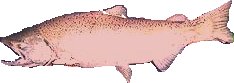
I am a fishing guide during the summer. I am getting ready to redo our advertising page and thought it might be nice to have custom buttons for navigating the new site. What better than a salmon button. I found a picture of someone holding a salmon on the WWW. I used PSP to cut the salmon out of the picture. Then the fun started.

salonly

This is what I got after cutting the fish out of the picture.

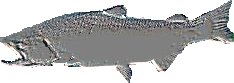
I decided to play with some of the filter. I didn't like what most of them did. Then I saw the emboss filter. I think this looks pretty cool.

salemboss

To big for use of as a button. Still, I liked the look and had ideas on what to do with it. Next up came sizing it for use in a button.

smallblubaksalemboss

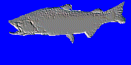
The embossed picture on a blue background.

salbutton

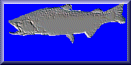
The picture with the buttonize effect applied.

home booking

Now, as you can see, I've added text and graphics look like useful buttons. I may try to get a better salmon picture to start with, but I think I'll be using these techniques on my new site.

Finally, I played with some deformations and effects. The horizontal skew didn't work as well on the text as I thought it would.

I rather like the Wind deformation. Really subdues the text, but leaves it very readable.

The drop shadow is just neat. I'll use this often in my work.

welcome